“How much do I even have?”
Bags of pumped milk across the fridge, the freezer, and grandma’s house. Sharpie dates you can barely read.
The breast milk stash app for iPhone
Milkloft is an iPhone app for moms who pump and store breast milk. It turns a freezer full of bags into answers: how much you have, which bag to use first, when each one expires, and whether you’ll be covered when you go back to work. The math stops living in your head.
Not on the App Store yet. Tell me when it’s out
Only to let you know about the launch. No spam. Unsubscribe with one click.
Real app, demo data. Nothing is retouched.
Bags of pumped milk across the fridge, the freezer, and grandma’s house. Sharpie dates you can barely read.
Pick the wrong bag and an older one goes past its date. Every bag that goes unused hurts. That’s liquid gold.
A countdown to going back to work, and no idea whether the milk you’ve stored will be enough.
The app carries that mental load, so you don’t have to.
Every day
Two taps to log what you just pumped, one-handed, baby in the other arm. Every bag of milk gets an estimated expiration date from guidelines you can read and change, a four-letter code you can write on the bag, and a place in line.
Live stopwatch. The demo runs at real speed.
“Use the thawed Aug 26 bag first: it expires tomorrow.” Thawed milk first, then the nearest date, then the oldest. You never rank bags in your head again.
Fridge, main freezer, garage deep freezer, the cooler on the way to daycare, which gets its own 24 h window (CDC), cumulative across trips, with a countdown on your Lock Screen. Move a bag and its estimated date moves with it; the app tells you what the move will do before you confirm.
“That’s about 30 days at your current pace.” Computed from your own feeds, updated every time you log one. Split one session into several bags in a tap.
Your milk, beyond the screen
Mark a bag of milk thawed and a live countdown sits on your Lock Screen and in the Dynamic Island until the bag is used or let go.
“3 bags expire tomorrow. Use K7Q2 first.” Thaw checks sized to the bag. Quiet hours at night. “Mark thawed” and “Discard” right from the notification.
Total, days of autonomy and the use-first bag in a widget, on the Home and Lock Screen, correct for up to two days without opening the app. With Pro, the return-to-work countdown joins it: days to go, your status, today’s goal.
Print QR labels on plain paper or 3-across label stock. Nothing to buy. Point your camera at a milk bag to open it, consume it, or mark it thawed. A label survives a reinstall: it can rebuild its own bag.
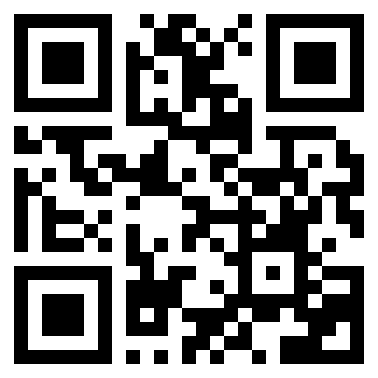
K7Q2
150 ml · Aug 24
Main freezer
Prints on plain paper or 3-across label stock.
One tap turns an outing into a sheet for whoever’s feeding the baby: which bags of milk, in what order, how much per bottle and roughly when, plus how to warm it, straight from the guidelines. Print it or send it. The codes match the labels on the bags, and nobody has to install anything.
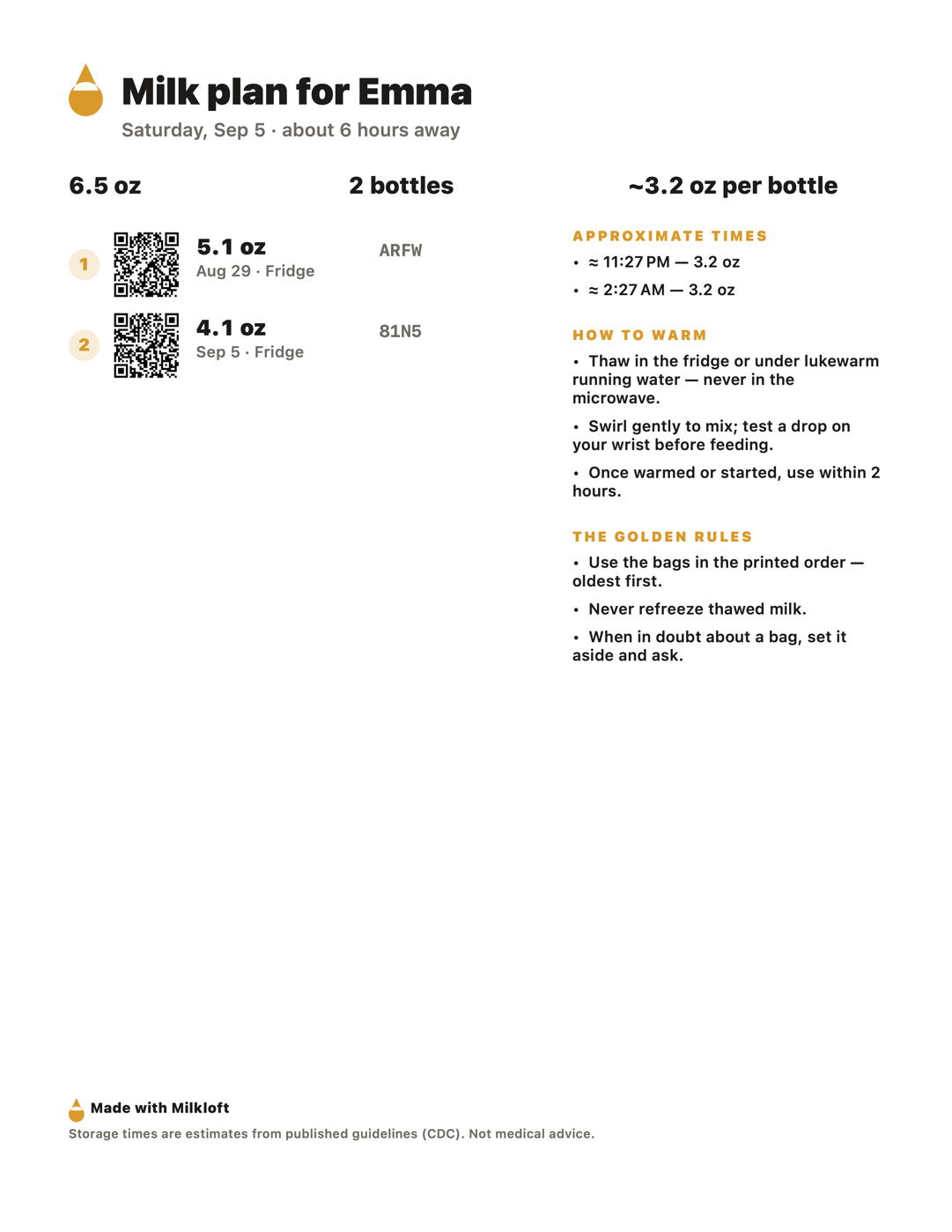
ARFW
5.1 oz · Aug 29
Fridge
Generated from a real plan. Codes match the labels.
Return to work Verdict free · Plan Pro
Tell the app your return date and hours away. It projects your stored milk bag by bag, counting only milk that will still be within its window on the day, and tells you what today asks of you: “About 1.5 oz more per day and you’re covered.” Your baby keeps drinking your milk, even on workdays.
Everyone runs the same setup and reads the same answer on their own numbers: what you’ll have, what you’ll need, the margin, the days left and an honest confidence level. Pro is every card below it: today’s goal, your week with the weeks behind you (real vs. target), the projection with the date you cross the goal, and the what-ifs.
Every target is checked against your own rhythm. If the only way to make it is an amount you’ve never pumped, the planner won’t print that number. It offers what’s real instead: fewer covered days, a later date, or a conversation with your lactation consultant.
Back two weeks earlier or later. Supply dips 15%. Intake rises. Daycare starts. No weekend pumps. Part-time. Solids. Pumping at work. Tap one and the whole plan updates; build your own with three dials and save it as the plan. When a target wouldn’t close in time by pumping alone, the row says so instead of printing it.
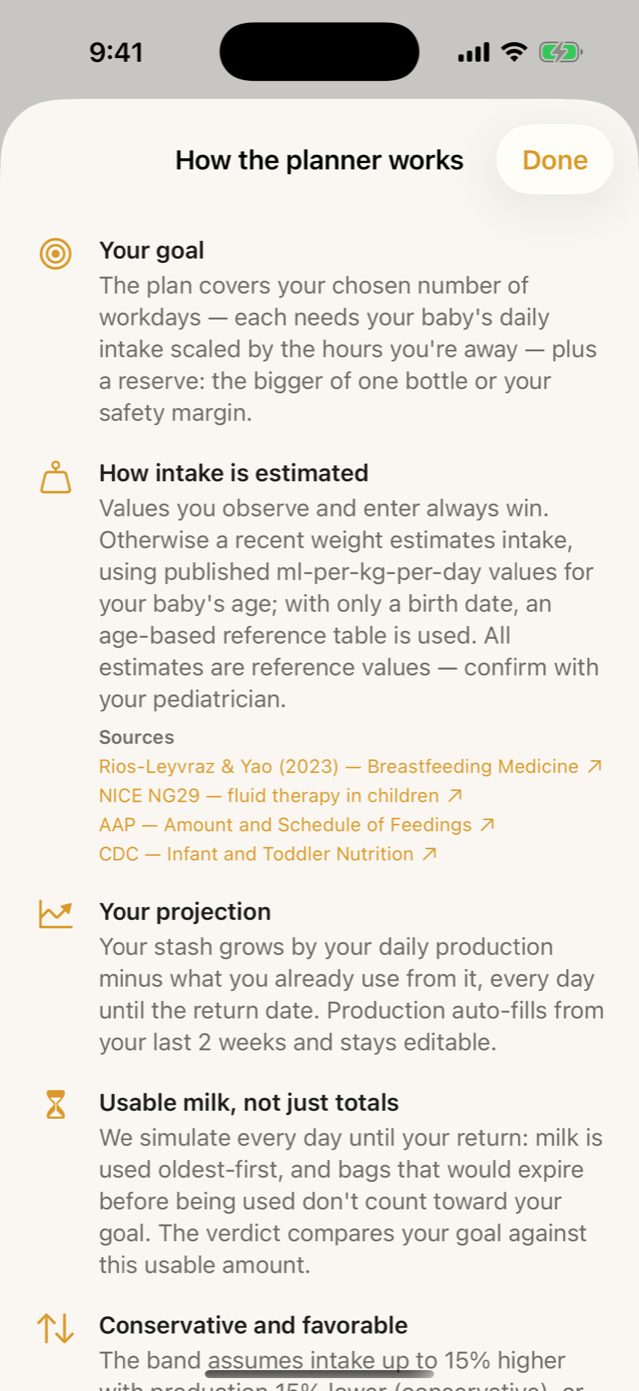
Once you’re back, the question changes to “will tomorrow’s bottles be there?”, and so does the planner. A goal for today, an honest confidence level, and the sources behind every estimate, one tap away.
Demo data. Intake estimates are reference values: confirm them with your pediatrician.
Your first week back Pro
The week before you go back, the question turns logistical: which bags of milk go to daycare on which day, and what comes out of the freezer the night before. The planner answers it bag by bag, from your real stash and the guideline windows.
Demo data. Estimated: once thawed, milk keeps about 24 h in the fridge (CDC).
Each workday gets its bags and bottles in use-first order, respecting every window: a bag thawed on Sunday can’t go on Tuesday. Tap a day for its caregiver sheet; the codes match the labels on the bags.
The evening before a workday, a nudge names the exact bag to move from freezer to fridge. Not a reminder: the bag. And when a day isn’t covered yet, the row says how much is missing instead of cheering you on.
“My return plan” exports as one PDF (goal, projection, weeks, assumptions, sources) for your partner or your lactation consultant. And the countdown lives on your Home and Lock Screen: days to your return, your status, today’s goal.
Your whole breastfeeding journey Pro
Breastfeeding has chapters, and so does Milkloft. Pro is one payment for all of them, on up to six family iPhones.
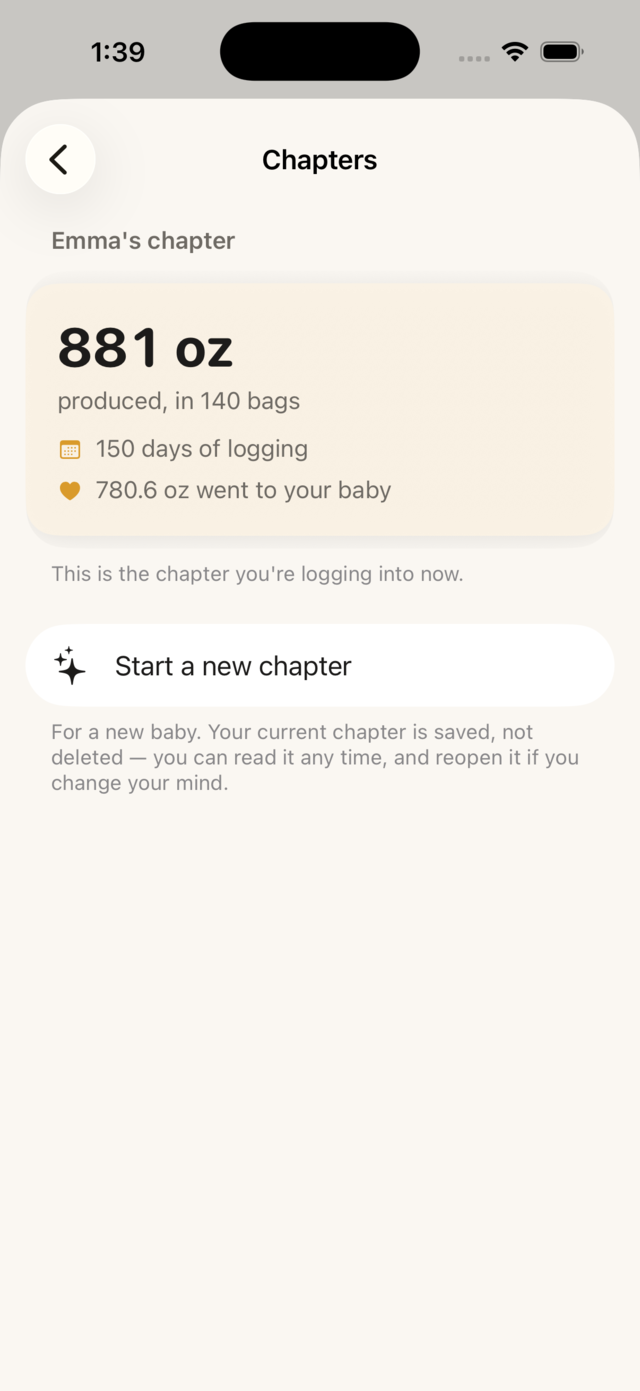
Close a chapter when a stretch of feeding ends; start the next baby’s whenever you’re ready. Nothing is deleted: the old chapter stays readable, with its totals.
Up to six people in your Apple family unlock Pro from one purchase: your partner taps Restore, and that’s it. The stash is shared on its own, from Settings, whenever you want: with Pro, up to six people see and edit the same bags, each on their own iPhone.
A quiet card when you log your 100th bag, your 5th donation, or when you’re “ready for day one”, shareable if you choose. No streaks, no guilt, never a push notification.
Free & Pro
Milkloft is free for a small breast milk stash. Pro is one purchase, no subscription: up to six people with Family Sharing, your whole breastfeeding journey, and the next baby’s.
| Free | Pro · one purchase | |
|---|---|---|
| Logging & inventory | ||
| Log milk (ml/oz, time, location) | ||
| Inventory, statuses & FIFO “use this first” | ||
| Split one session into several bags · 4-letter bag codes | ||
| Home screen answers + days of autonomy | ||
| Donation tracking | ||
| Active bags | Up to 20 | Unlimited |
| Locations (fridges, freezers, grandma’s) | Up to 5 | Unlimited |
| Expiration & guidelines | ||
| Expiration estimates from cited guidelines | ||
| Editable storage rules · CDC, ABM or NHS as the source | ||
| Plain-language explainer on every state and action | ||
| Cooler mode (24 h window, Lock Screen countdown) | ||
| Power-outage triage | ||
| Alerts, widgets & Live Activities | ||
| Expiration & thaw-check notifications | ||
| Use-first widget & thaw Live Activity | ||
| Return countdown widget (Home & Lock Screen) | – | |
| Return to work | ||
| Return-to-Work Planner: setup & verdict | ||
| The plan: today’s goal, weekly plan with history, projection, nine what-ifs + your own | – | |
| Your first week back, “thaw this one tonight” & the plan as a PDF | – | |
| Planner milestones (“ready for day one”) | – | |
| Outings & caregivers | ||
| Outing planner (“what do I leave the sitter?”) | – | |
| Printable caregiver handoff sheet (PDF) | – | |
| Statistics & forecasts | ||
| Basic statistics (production chart & totals) | ||
| Advanced statistics & insights (trends, by-hour, by-weekday, stash age, next 30 days) | – | |
| Run-out date & freezer-full forecasts | – | |
| Waste analytics | – | |
| Labels, data & backup | ||
| QR labels & scan-to-action | ||
| CSV export | ||
| Full JSON backup & restore | ||
| Private iCloud sync across your devices | ||
| Works fully offline | ||
| The whole journey | ||
| Inventory milestones (100 bags, 5 donations…) | ||
| Chapters: close one, start the next baby’s | – | |
| Shared stash (up to 6 people) | – | |
| Family Sharing (up to 6 people) | – | |
Free is the whole app for a small stash, not a demo: sync, alerts, FIFO, the outage triage, the guideline engine, QR labels, donation tracking, CSV export, full backups and the planner’s verdict are all included. Pro is for when the stash, the freezers, or the return-to-work date outgrow it.
iCloud sync is free for everyone because it runs on your iCloud, not on our servers. We don’t have servers.
Privacy
0
accounts
0
cloud servers
0
tracking
No account. No cloud servers. No tracking. Everything you log about your milk lives on your iPhone and syncs privately through your own iCloud. We couldn’t read it if we wanted to.
Even feedback stays yours: tell us something’s wrong and Milkloft writes the message in your own mail app, shows you the handful of diagnostic lines it wants to attach, and sends nothing until you tap send.
Sources
Storage windows come from the CDC’s breast-milk storage guidance by default; the Academy of Breastfeeding Medicine’s Protocol #8 and the NHS are one tap away, and every window is editable in Settings. Intake estimates come from a 2023 meta-analysis of 167 studies, NICE’s figures for the first days, and the AAP’s 32 oz per 24 h ceiling. Every source is a tappable link inside the app, right next to the number it produced.
Milkloft organizes your milk; it doesn’t diagnose. Every date is an estimate.
FAQ
An iPhone app for moms who pump and store breast milk. You log each bag as you put it away, and the app keeps the inventory across your fridge, freezers and grandma’s house, tells you which bag to use first, estimates when each one expires from published guidelines, and works out whether your stored milk will cover your return to work. It also prints QR labels for the bags and a sheet for whoever feeds the baby. No account, and Pro is one purchase.
We don’t have a date to promise yet. Leave your email and you’ll get exactly one message when Milkloft is on the App Store, nothing else.
Yes, for a stash of up to 20 bags in 5 locations: logging, inventory, the use-first order, expiration reminders, iCloud sync, the cooler window, the power-outage triage, the guideline engine, QR labels, donation tracking, CSV export and full backups are all included, and so are the Return-to-Work Planner’s setup and verdict. Milkloft Pro adds the plan itself (today’s goal, your week, your first week back, the projection and the what-ifs) plus the outing planner with its caregiver sheet, forecasts, advanced stats and insights, waste analytics, chapters and the shared stash.
No. Milkloft Pro is a single purchase, not a subscription, with free updates, and Family Sharing is included, so up to six people in your family get it too. Purchases go through the App Store and follow Apple’s standard refund policy.
No, there is nothing to sign up for. Your data lives on your iPhone and syncs privately through your own iCloud. We have no servers and no analytics; the App Store privacy label reads “Data Not Collected”.
Always. Milkloft is local-first: nothing needs a connection except syncing to your own iCloud, which happens on its own when you’re back online.
From published guidelines: the CDC by default, with the Academy of Breastfeeding Medicine’s Protocol #8 and the NHS one tap away. Every window is a number you can edit in Settings, and the app recalculates from your values. Every date is labeled an estimate, because that’s what it is.
No. Your phone has no thermometer and no sensors. Milkloft only knows what you log and applies the guideline you chose: it can tell you a bag is past its estimated window, but it can’t see what’s inside. When in doubt, ask your pediatrician or lactation consultant.
No. The caregiver sheet is a PDF: the bags in order, how much per bottle, and how to warm it. Print it or send it; the codes match the labels on the bags.
Your stash syncs through your private iCloud automatically, and you can export a full backup anytime.
Not yet: there’s no importer today. Logging is two taps per bag, so most stashes are in within an evening.
iPhone first. Join the list and we’ll tell you if Android arrives.
Only to let you know about the launch. No spam. Unsubscribe with one click.
Coming to iPhone. Free to start. No account needed.